
Innovista Digital / Templates / Marked
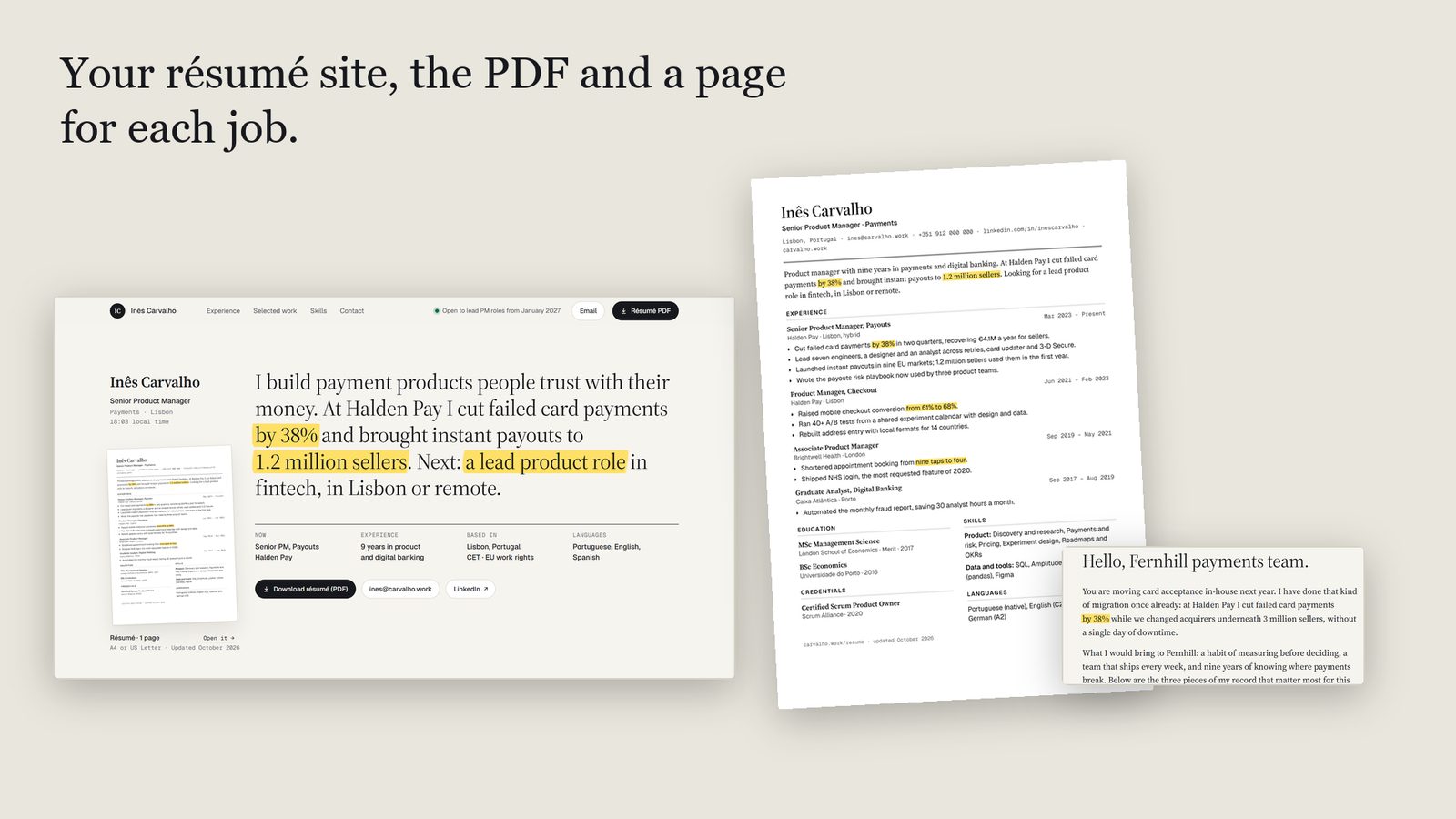
Marked, your résumé site, the PDF and a page for each job.
A one-page résumé and personal site that also prints a perfect résumé. Write your story once: the site, the printable résumé and a job application page all use the same words, so they never disagree. For Framer and for plain HTML.
What it is
One set of words, three things to send.
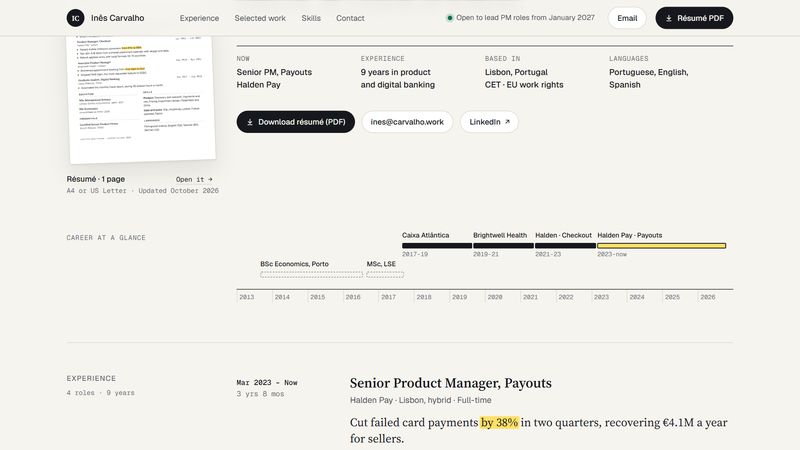
The first thing a recruiter sees is one serif sentence about you, with your best results marked in yellow, as if by hand. Under it: the facts, a career ruler that draws your years at a glance, experience that leads with the result, three projects told with a number and a chart, skills, education and kind words.
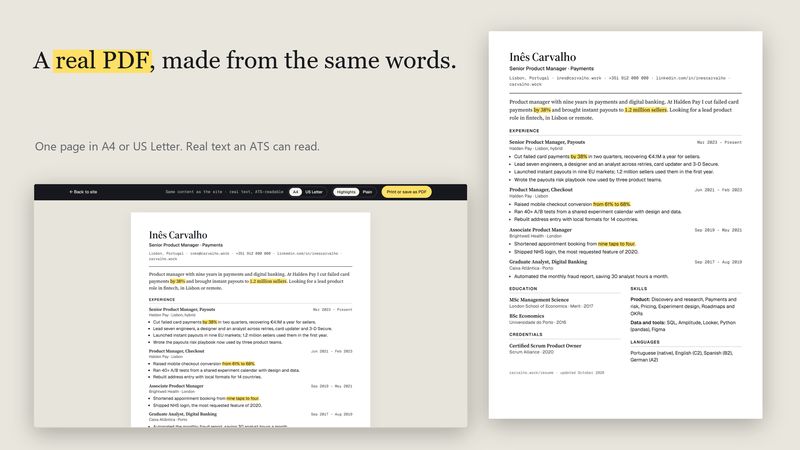
The résumé page prints as one clean page in A4 or US Letter, in real text that applicant tracking systems can read. Choose Highlights or Plain. If your career runs to two pages, page 2 gets a margin and a running line.
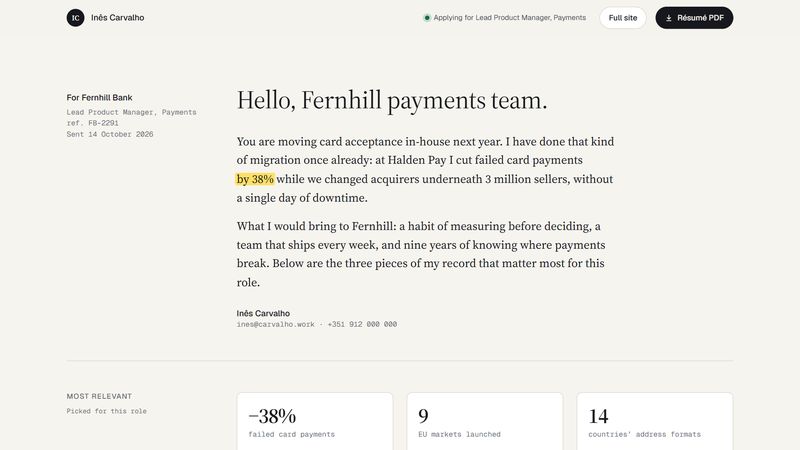
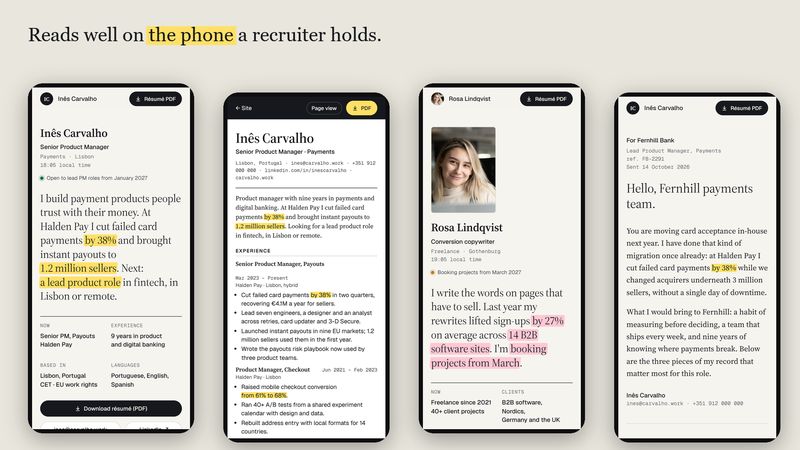
The application page is a letter to one company with your most relevant results. Send it with an application, instead of a generic link. It is hidden from search engines and from your site's menus.
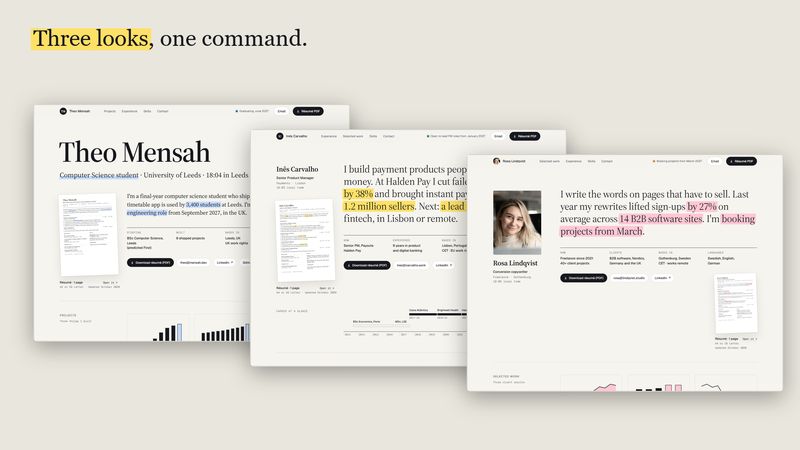
Three looks: the Sentence hero for most people, Sentence + photo for freelancers, and a big-name Poster for students. Four colours (yellow, mint, rose, sky), night mode that follows the visitor's setting, and one place to change them.
What's inside
Everything in the template
A résumé site with a signature
Your sentence, with the results marked in yellow as it loads.
One set of words, three outputs
The site, a one-page PDF and a page for each application, so they never disagree.
A print-ready résumé
A4 or US Letter, Highlights or Plain, in real text an ATS can read. Two-page careers get a proper page 2.
An application page per company
A letter and your most relevant results. Not indexed, not linked from your site.
A career ruler
Draws your years at a glance and jumps to each role.
Results first
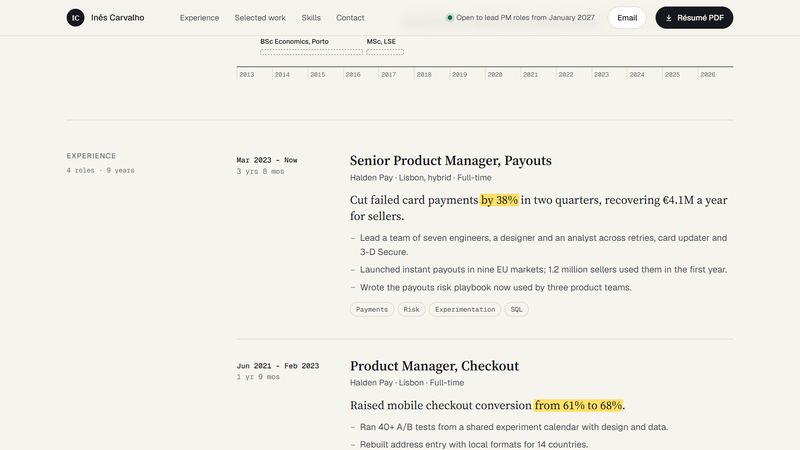
Experience entries that lead with the number, and project stories told with a number, a chart and a story.
Three heroes, four palettes
Sentence, Sentence + photo and Poster; yellow, mint, rose and sky; night mode that follows the visitor.
A status pill
Open to work, Booking projects, Not looking, or hidden. Plus local time and a copy-email button.
Fast and accessible
The HTML preview scores Lighthouse 98 to 100 for performance on phone and 100 on desktop, with accessibility and best practices at 100. Reduced-motion friendly, no tracking.
Which edition
Framer or HTML?
| Framer edition | HTML edition | |
|---|---|---|
| Price | $39, buy now | $19, buy now |
| You get | A remix link that copies the project into your Framer account | A zip: the site builder, three sample people, README, licence |
| Editing | Visually in Framer; roles, projects and applications in the CMS; colours and effects in the properties panel | One JSON Résumé file and one command, node build.mjs |
| Hosting | Framer (free or paid Framer plan) | Anywhere: Netlify, Cloudflare, GitHub Pages, your server |
| The PDF | Print or save as PDF from the résumé page; upload your PDF to make the button a download | Print or save as PDF, or let the build make the PDF file for you |
| Samples | A product manager, with the student and freelancer heroes ready to switch on | A product manager, a student and a freelancer |
| Best for | People who want to click and type on the page itself | People who want plain files they own and control |
Questions
Frequently asked
Who is Marked for?
Anyone looking for work or clients who wants more than a PDF: product people, engineers, designers, students and graduates, and freelancers who take bookings. It suits one person; it is not an agency or team site.
Which edition should I buy?
Framer if you want to click and type on the page itself, with your roles, projects and applications in the Framer CMS. HTML if you are happy to edit one text file and run one command, and want plain files you can host anywhere for free.
How do I get the PDF of my résumé?
Open the résumé page, choose A4 or US Letter and press Print or save as PDF. The HTML edition can also build a ready PDF file by itself if you run npm install once. In the Framer edition, upload your saved PDF and the Download résumé button serves it.
Will applicant tracking systems read the résumé?
Yes. The résumé is real text in a single reading order with ordinary fonts, not a picture, so applicant tracking systems and screen readers read it as written.
Are the people in the demo real?
No. Inês, Theo and Rosa, their employers, clients, quotes and figures are invented to show the template working. The freelancer's portrait on the HTML preview is an Unsplash photo and is not included in the download.
What licence do I get?
A single-use licence: one website per purchase, your own or a client's. You may change everything and charge a client for the site you build; you may not resell, share or publish the template files, changed or unchanged, or put them in another template or marketplace product. The fonts are under the SIL Open Font Licence.
What if it doesn't work for me?
All sales are final, as templates are digital products that can be copied once purchased. If Marked doesn't work as described, email [email protected] within 14 days and we'll fix it or refund you in full.
Live preview (HTML)Live preview (Framer)On the Framer MarketplaceAll templates